To place just a shortcut (without folder) when installed in Windows 10 #10251

Description

To place just a shortcut (without folder) when installed in Windows 10
qBittorrent version and Operating System
qBittorrent: 4.1.5 (latest stable)
Windows 10 October 2018 Update (latest stable)
What is the problem
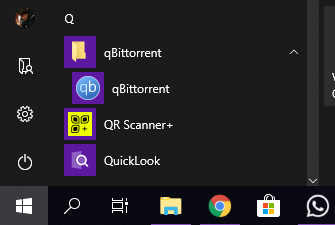
When qBittorrent is installed in system, it creates a folder with shortcut inside in Start menu:
What is the expected behavior
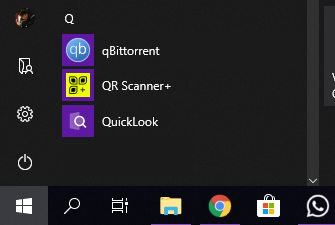
I think it is better to place just a shortcut, like Microsoft Store apps do:
Steps to reproduce
- Install qBittorrent
- Look for qBittorrent in Start menu