


Mailchimp Marketing Email is a powerful and user-friendly platform provided by Intuit Mailchimp, designed for creating, managing, and optimizing targeted email campaigns. It enables businesses to engage customers with personalized marketing emails, automated workflows, and insightful analytics to drive growth and build lasting relationships.
The ballerinax/mailchimp.marketing package provides APIs to connect and interact with the Mailchimp Marketing API v3.0.85, enabling seamless integration with applications to manage marketing email sending, templates, messages, and more.
To use the Mailchimp Marketing Email connector, you need to have a Mailchimp account and access to a API key. Follow the steps below to set up your account and generate the required API key.
-
Go to the Mailchimp Sign Up Page and create a Mailchimp account.
-
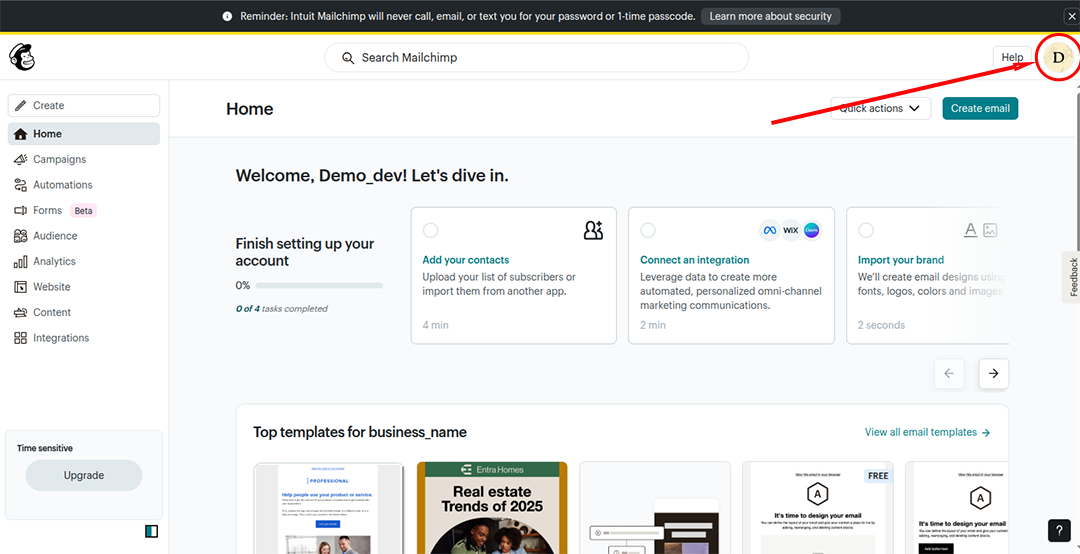
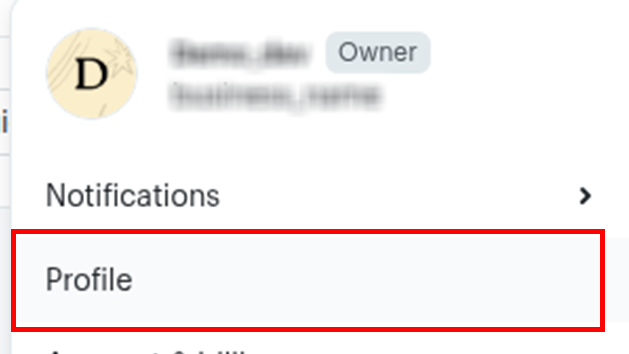
Once signed in, click on your profile icon in the bottom-left corner to access the account menu.
-
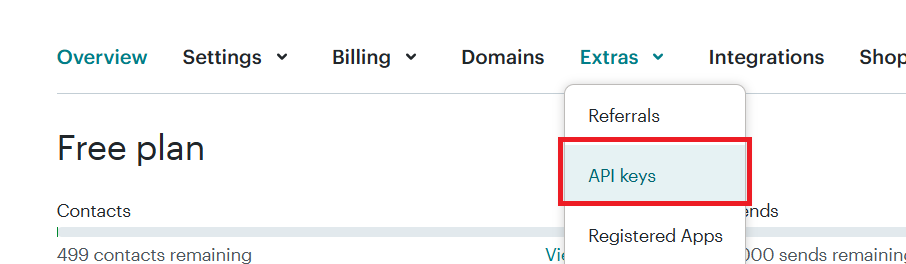
In the menu, go to Extras section and click on API keys.
-
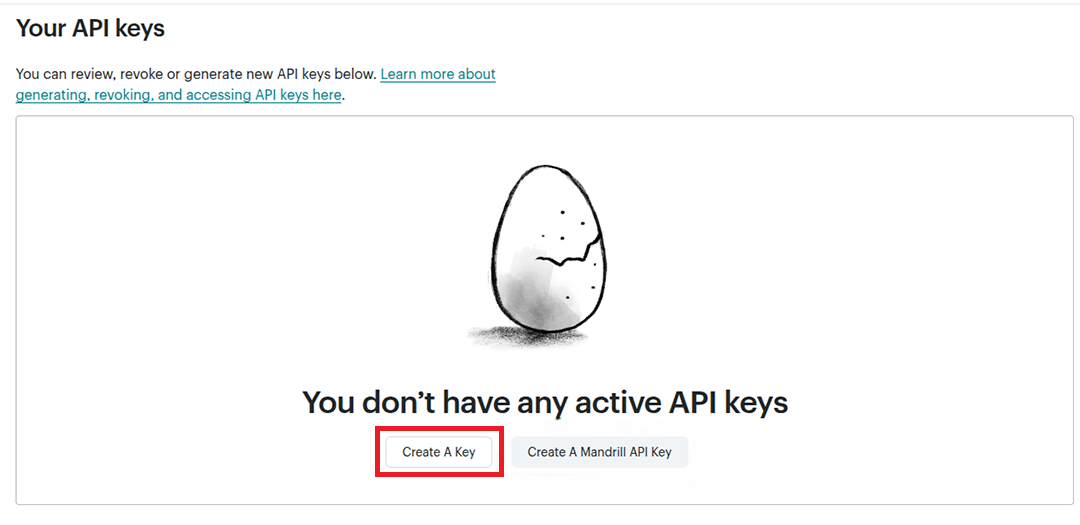
Choose Create A Key (not the Mandril API key). You will be redirected to the API Key Generate Dashboard.
-
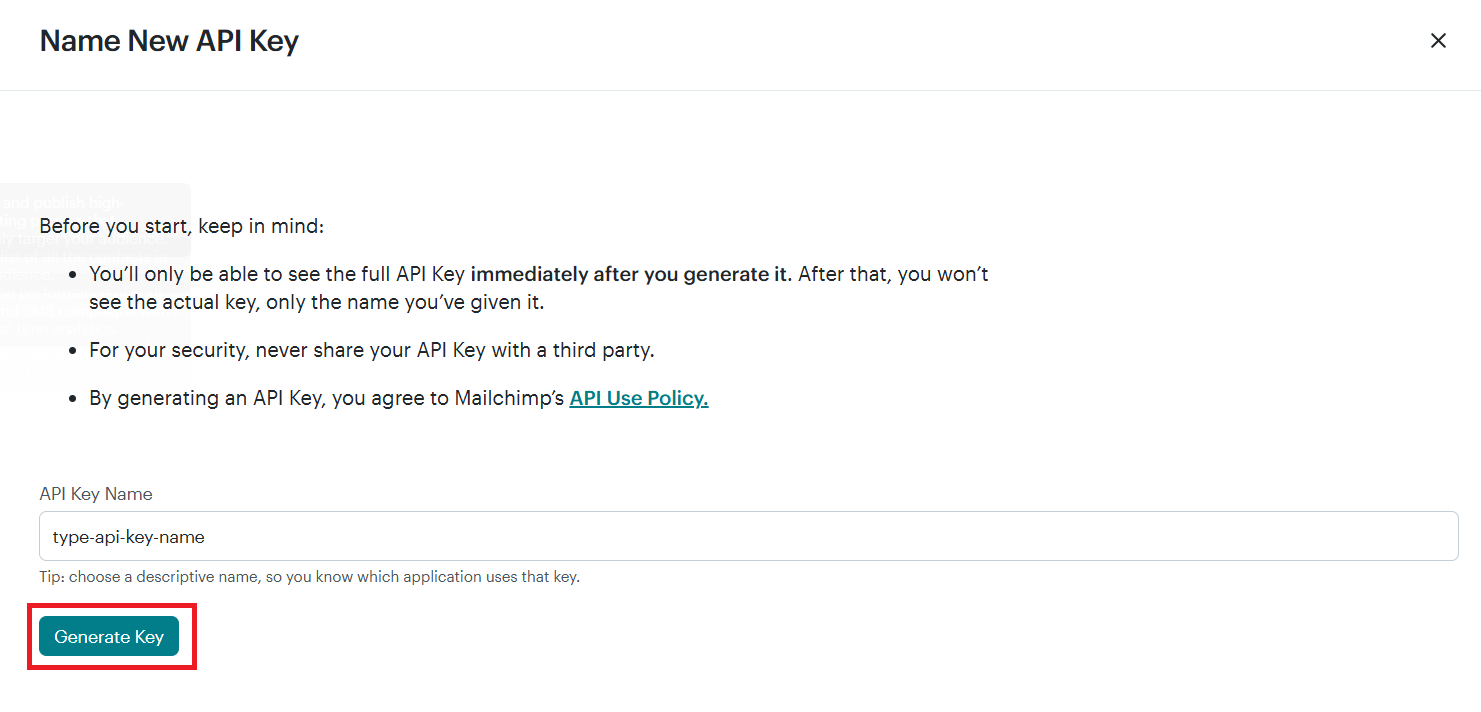
In the API Key dashboard, add a API key name and click Generate Key to generate your key.
-
Copy the generated API key. You will need this to authenticate your connector.
To use the Mailchimp Marketing connector in your Ballerina application, update the .bal file as follows:
Import the mailchimp.marketing module.
import ballerinax/mailchimp.marketing;Create a Config.toml file and add your API key obtained from the setup process:
mailchimpApiKey = "<your-mailchimp-marketing-access-token>"bal runThe MailChimp Marketing Emails connector provides practical examples illustrating usage in various scenarios. Explore these examples, covering the following use cases:
- Add Mailchimp Subscriber – Add a new subscriber to a specific Mailchimp audience list.
- List Mailchimp Audiences – Fetch and display a list of all your Mailchimp audience lists.
-
Download and install Java SE Development Kit (JDK) version 21. You can download it from either of the following sources:
Note: After installation, remember to set the
JAVA_HOMEenvironment variable to the directory where JDK was installed. -
Download and install Ballerina Swan Lake.
-
Download and install Docker.
Note: Ensure that the Docker daemon is running before executing any tests.
-
Export Github Personal access token with read package permissions as follows,
export packageUser=<Username>
export packagePAT=<Personal access token>
Execute the commands below to build from the source.
-
To build the package:
./gradlew clean build
-
To run the tests:
./gradlew clean test -
To build the without the tests:
./gradlew clean build -x test -
To run tests against different environments:
./gradlew clean test -Pgroups=<Comma separated groups/test cases>
-
To debug the package with a remote debugger:
./gradlew clean build -Pdebug=<port>
-
To debug with the Ballerina language:
./gradlew clean build -PbalJavaDebug=<port>
-
Publish the generated artifacts to the local Ballerina Central repository:
./gradlew clean build -PpublishToLocalCentral=true
-
Publish the generated artifacts to the Ballerina Central repository:
./gradlew clean build -PpublishToCentral=true
As an open-source project, Ballerina welcomes contributions from the community.
For more information, go to the contribution guidelines.
All the contributors are encouraged to read the Ballerina Code of Conduct.
- For more information go to the
mailchimp.marketingpackage. - For example demonstrations of the usage, go to Ballerina By Examples.
- Chat live with us via our Discord server.
- Post all technical questions on Stack Overflow with the #ballerina tag.