A modern Next.js application for managing Cloudflare R2 bucket objects with an intuitive interface. Featuring file uploads, mass deletions, and multi-bucket support.
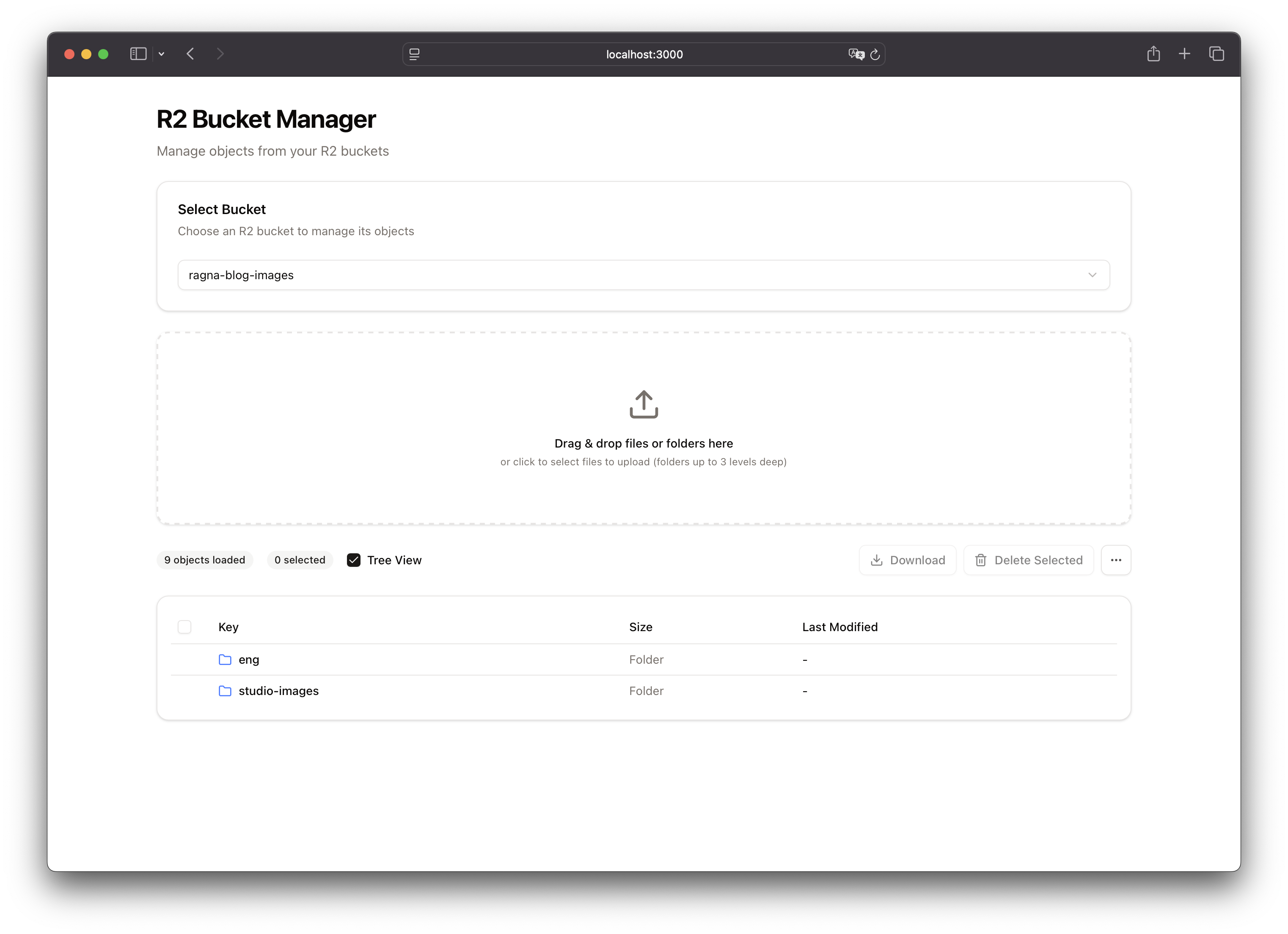
- Multi-Bucket Support: Switch between multiple R2 buckets from a single interface
- File Upload: Drag-and-drop or click to upload files to your R2 buckets
- Batch Operations: Select and delete multiple objects at once
- Mass Deletion: Delete all objects from a bucket with confirmation
- Pagination: Load more objects as needed with "Load More" functionality
- Object Details: View object size, last modified date, and full key paths
- Modern UI: Clean interface using Radix UI components and Tailwind CSS
- Framework: Next.js 16 with React 19
- Styling: TailwindCSS 4 with Radix UI components
- Storage: Cloudflare R2 via AWS SDK S3 client
- File Handling: react-dropzone for uploads
- UI Components: Radix UI primitives with shadcn/ui patterns
-
Install dependencies:
npm install
-
Configure Environment Variables:
Copy the
.env.exampleand rename it to.envin the root directory:R2_ACCOUNT_ID="your_account_id" R2_ACCESS_KEY_ID="your_access_key_id" R2_SECRET_ACCESS_KEY="your_secret_access_key" R2_BUCKET_NAME="your_default_bucket_name"
You can obtain these credentials from your Cloudflare dashboard under R2 settings.
-
Run the development server:
npm run dev
-
Open your browser:
Navigate to http://localhost:3000
- Select a Bucket: Choose from available R2 buckets in your account
- Upload Files: Drag and drop files or click to browse and upload
- View Objects: Browse through your bucket objects with pagination
- Select Objects: Use checkboxes to select individual objects or select all
- Delete Operations:
- Delete Selected: Remove specific objects you've selected
- Delete ALL Objects: Clear entire bucket (with confirmation dialog)
# Run development server
npm run dev

# Build for production
npm run build

# Start production server
npm start

# Run linter
npm run lintMIT License - see LICENSE file for details
Contributions are welcome! Please feel free to submit a Pull Request.