


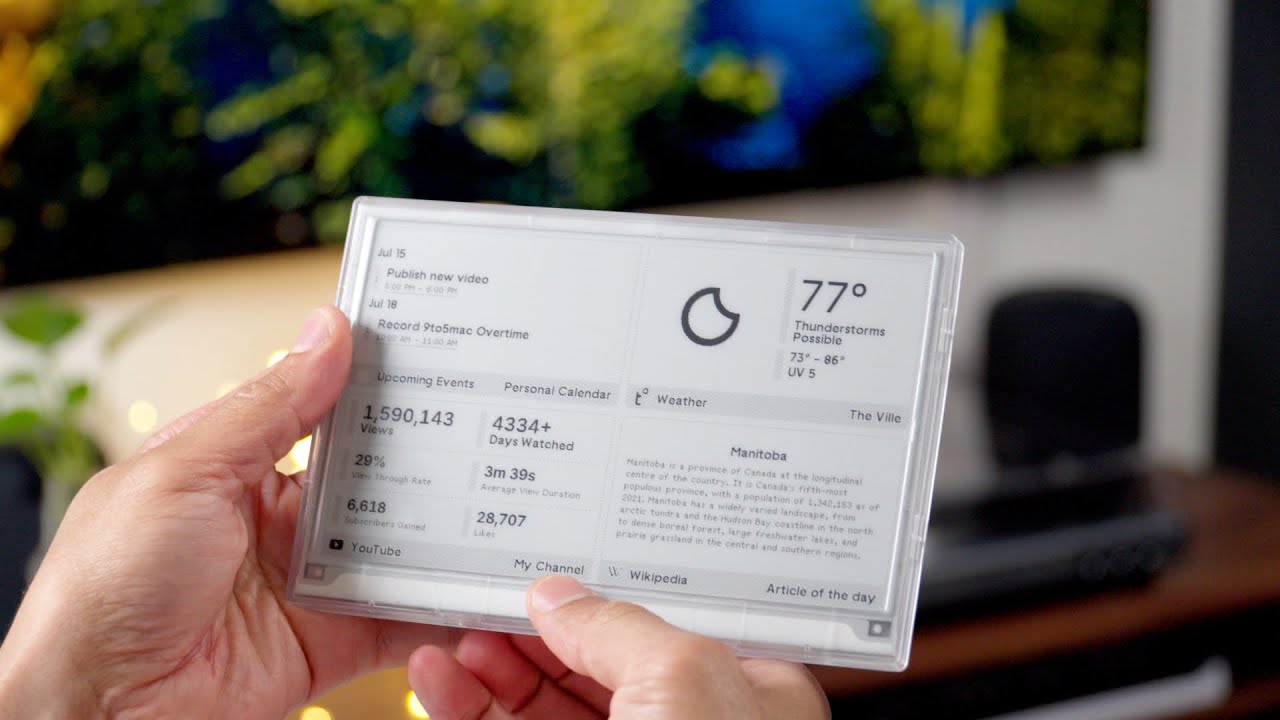
Terminus is a Ruby/Hanami web server that allows you to manage TRMNL devices running on your own local network or hosted cloud. This is also the flagship BYOS implementation officially supported by TRMNL. For a quick introduction on TRMNL devices, check out the following 9to5Mac overview:

-
Provides privacy first functionality by empowering you to run your own private server, network, and devices. You own the stack and the data. 🎉
-
Uses esbuild for asset management.
-
Uses htmx for Hypermedia-Driven user interfaces.
-
Uses ImageMagick for image processing.
-
Uses Overmind for running multiple processes.
-
Uses PostgreSQL for the database.
-
Uses Puma for the server.
-
Uses Rodauth for authentication.
-
Uses Sidekiq for worker jobs.
-
Uses Valkey for the key/value cache.
-
Supports YJIT.
-
Supports Docker.
-
Supports TRMNL devices.
The following is a high level overview you can use to compare/contrast when deciding between using this Build Your Own Server (BYOS) implementation or our hosted solution.
Legend
-
⚪️ Planned.
-
🟢 Supported.
-
🟡 Partially supported.
-
🔴 Not supported, not implemented, or isn’t applicable.
Matrix
| Terminus | Hosted | |
|---|---|---|
Dashboard |
🟢 |
🟢 |
Auto-Provisioning |
🟢 |
🟢 |
Devices |
🟢 |
🟢 |
JSON Data API |
🟢 |
🟢 |
Image Previews |
🟢 |
🟢 |
Playlists |
🟢 |
🟢 |
Plugins |
🟡 |
🟢 |
Account Management |
🟢 |
🟢 |
Docker |
🟢 |
🔴 |
-
Git.
-
Ruby.
-
Node.
-
Valkey: Can be swapped out for Redis or Dragonfly if desired.
-
Haskell Dockerfile Linter (optional, for development): For
Dockerfilelinting. -
Google Chrome (optional, for development): For screen generation via the headless browser.
-
Overmind (optional, for development): Uses your
Procfileto launch processes. -
Docker (optional when only using Ruby).
-
TRMNL device (optional, you can use virtual devices).
To immediately spin up Terminus on your local machine using Docker, run:
curl https://raw.githubusercontent.com/usetrmnl/byos_hanami/refs/heads/main/scripts/docker/quick.sh | bashOnce launched, open http://localhost:2300 in your browser then click the Register link to register and log into the system.
To set up this project for local development, run:
git clone https://github.com/usetrmnl/byos_hanami terminus
cd terminus
bin/setup
💡 The setup script is idempotent so you can run it multiple times without harm. To rebuild a file managed by the setup script, delete the desired file and rerun setup to recreate.
To upgrade this project for local development, run:
cd terminus
bin/upgrade
Watch for any changes that need to be addressed in the output. Otherwise, if no changes are detected, you are set.
To launch the server, run:
# Development
overmind start --port-step 10 --procfile Procfile.dev --can-die assets,migrate

# Production
overmind start --port-step 10 --can-die assets,migrate
To view the app, use either of the following:
-
Secure: https://localhost:2443
-
Insecure: http://localhost:2300
From your browser, you can then click on the Register link to register and log into the system.
There are several environment variables you can use to customize behavior by updating the .env file created for you during setup. They are:
-
API_ACCESS_TOKEN_PERIOD: Used to set the amount of time, in seconds, the JWT access token remains valid before needing to refresh your token. This is only necessary when using the Server APIs. Default: 1,800 seconds (30 minutes). -
APP_SECRET: Used for session, cookie, and Cross-Site Request Forgery (CSRF) protection. This is automatically created for you during setup but is recommended that you update this with your own secure value. -
APP_SETUP: Runs setup/update steps (i.e. asset compilation, database migrations, etc). Used by Docker only via theentrypointscript. Default:nilbuttruefor the web service. -
API_URI: Used for connecting your device to this server or via Docker. Defaults to your host machine’s IP address and port. This assumes you are connecting your device directly to the same server Terminus is running on. If this is not the case and you are using a reverse proxy, DNS, or any service/layer between your device and Terminus then you need to update this value to be your host. For example, if your host ishttp://demo.iothen this value must behttp://demo.io. This includes updating your device, via the TRMNL captive Wifi portal, to usehttp://demo.ioas your custom host too. How you configurehttp://demo.ioto resolve to the server you are running Terminus on is up to you. All your device (and this value) cares about is what the external host (or IP and port) is for the device to make API requests too (they must be identical). -
BROWSER: Used for configuring headless browser behavior when creating screens for your device. Must be a JSON object. Default:'{"js_errors": true, "process_timeout": 10, "timeout": 10}'. Additional keys are ignored. For more details, see the Ferrum Customization Documentation. -
CERTIFICATE_URLS: Defines a comma-separated list of CA certificate URLs which will be automatically installed as trusted certificates. Example:"https://example.io/ca1.crt,https://example.org/ca2.pem"Used by Docker only. -
DATABASE_NAME: Defines your database name. Used by Docker only. Default:terminus. -
DATABASE_PASSWORD: Defines your database password. Used by Docker only. Default: (auto-generated for you during setup). -
DATABASE_PORT: Defines your database port. Used by Docker only. Default:5432. -
DATABASE_URL: Defines the full URL based on theDATABASE_*settings. This is automatically configured for you during setup. See your.env*files for details. -
DATABASE_URL: Necessary to connect to your PostgreSQL database. Can be customized by changing the value in the.env.developmentor.env.testfile created when you ranbin/setup. -
DATABASE_USER: Defines your database user. Used by Docker only. Default:terminus. -
FIRMWARE_POLLER: Enables/disables firmware polling. See Jobs for details. Defaults to enabled. -
HANAMI_PORT: The default port when running the app locally or via Docker. When using Docker, this is used for the internal and external port mapping. -
KEYVALUE_DATABASE: Defines your database ID. Used by Docker only. Default:0. -
KEYVALUE_PASSWORD: Defines your password. Used by Docker only. Default: (auto-generated for you during setup). -
KEYVALUE_PORT: Defines your port. Used by Docker only. Default:6379. -
KEYVALUE_URL: Defines the full URL based on the aboveKEYVALUE_*settings. This is automatically configured for you during setup. See your.env*files for details. -
MODEL_POLLER: Enables/disables model polling. See Jobs for details. Defaults to enabled. -
RACK_ATTACK_ALLOWED_SUBNETS: Defines the Rack Attack subnets that are allowed to connect to this server which helps when adding DNS, a reverse proxy, or a VPN, etc. between your device and this application so you can use this environment variable to add more subnets as desired. This takes a single subnet/IP or an array — with no spaces — of subnets/IPs as values. Example: "111.111.111.111,150.120.0.0/16". Alternatively, you can disable Rack Attack altogether by removing theconfig.middleware.use Rack::Attackline fromconfig/app.rbor customize Rack Attack via theconfig/initializers/rack_attack.rbfile. Any of these approaches will allow you to get your service layer properly configured so your device can talk to this server. By default, the following subnets are allowed:10.0.0.0/8,172.16.0.0/12,192.168.0.0/16,127.0.0.1, and::1. -
SCREEN_POLLER: Enables/disables model polling. See Jobs for details. Defaults to enabled.
When launching this application for the first time, there will be no users. The first user to register will automatically be given Verified status along with full access to the system. All subsequent users will marked as Unverified and must be manually Verified in order to have access to the system. In the future, more fine grained control will be provided for individual users, roles, and permissions.
Also, once logged in, you can manage your settings as follows:
-
Visit
/me/loginto update your email address. -
Visit
/me/passwordto update your password. -
Visit
/me/rememberto enable, disable, or forget if you should be remembered.
Connecting devices requires using the WiFi captive portal on your mobile phone to connect your TRMNL device to your local network where this server is running. You can also delete your device, via the UI and/or API, and it’ll be reconfigured for you automatically when the device next makes a Display API request. For more information (including dealing with tricky WiFi situations), check out the help guides:
In accordance with the Unbrickable Pledge, the latest version of Terminus always supports the latest version of our Firmware. If you are running on older firmware, you’ll need to use an older version of Terminus. Here’s a rough breakdown of the Firmware version history where changes were applied that might cause issues if you haven’t upgraded your devices in a while:
See Extensions documentation for details.
See API documentation for details.
See Docker documentation for details.
See Raspberry Pi documentation for details.
See Kubernetes documentation for details.
See Render documentation for details.
See Development documentation for details.
Code quality is an important and vital aspect of the work on this project. The following gems are used to ensure our work remains consistent and of high quality:
-
Git Lint: Ensures Git commit messages are well written and consistent for code review but also for automatic release note generation via Milestoner.
-
Caliber: Ensures code is consistent in terms of style, layout, performance, best practices, etc.
-
Reek: Augments Caliber by detecting code smells and antipatterns.
-
RSpec: Provides a specification and testing framework for unit and integration tests.
-
SimpleCov: Generates interactive reports with every CI build. Will fail the build if quality drops below 95%.
⚠️ The badge at the top of this document isn’t updated in real-time, unfortunately, but is fairly accurate.
To view up-to-date code coverage details, follow these steps:
-
Visit the Circle CI build page.
-
Click on the latest "Success" build at the top of the page.
-
Click on
build. -
Click on ARTIFACTS.
-
Click on the
coverage/index.htmlfile.
At this point you can click through the tabs at the top of the page to inspect the various namespaces that make up this application.
To view all versions and the complete release history to this project — including detailed notes of all changes — run the following:
cd terminus
gem install milestoner
milestoner build --max 1000 --format web
ruby -run -e httpd tmp/milestones --port 3030
open http://127.0.0.1:3030
We are working on automating this across multiple projects, not only Terminus, because Milestoner also generates a complete syndicated feed of release notes as well. This means, in the future, you’ll be able to subscribe to all updates via your feed reader. 🎉
💡 You can also subscribe to our YouTube channel and get occasional version release video updates too.
While this project is distributed under the permissive MIT License, we strongly believe that technology should serve humanity’s best interests. We created this software with the intent that it be used to benefit people and communities, not to cause harm. We encourage individuals and organizations to consider the ethical implications and to use this project in ways that respect human rights, promote equity, and contribute positively to society. Though we cannot legally restrict usage under the MIT License, we ask that you join us in fostering a responsible technology ecosystem by avoiding applications that could cause harm, perpetuate discrimination, or undermine human dignity. Technology is best used to enrich lives, let’s ensure we build a better world together!
-
Built with Hanamismith.
-
Engineered by TRMNL.


